FC Ad Manager for vBulletin
VBULLETIN
ADDON
$12.99
Advanced ad placement, rotation, and management for vBulletin 4.
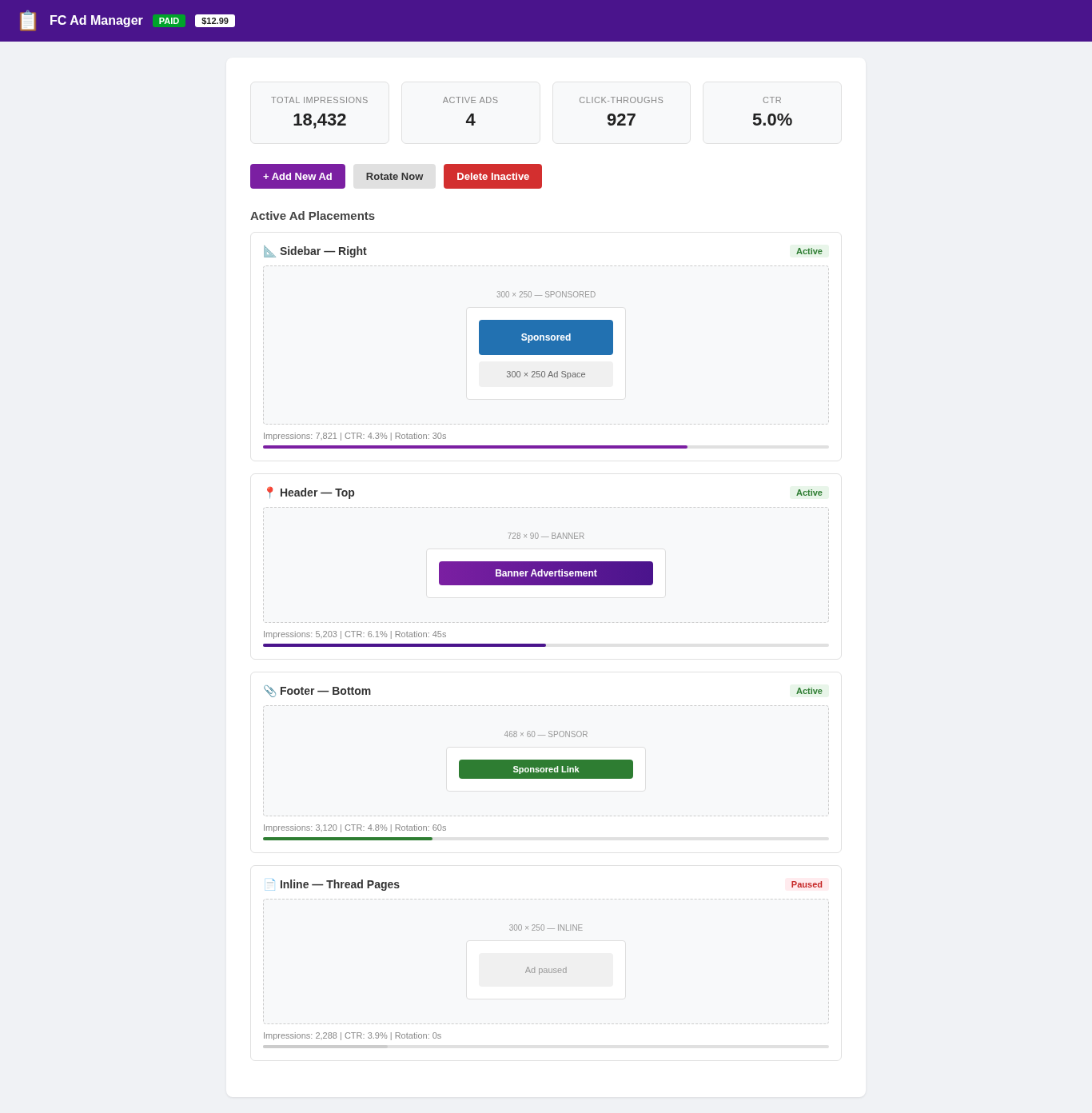
Advanced ad placement, rotation, and management for vBulletin 4 forums. Manage ads across header, sidebar, footer, and inline positions with impression tracking.
The ad manager uses a single HTML snippet that you paste into your vBulletin header template — no database changes, no file uploads. Ads are configured via a JSON config block and rendered by a lightweight JavaScript engine that supports ad rotation, impression tracking, and click-through monitoring.
Four ad positions are available: header, sidebar, footer, and inline. Ads can rotate automatically at configurable intervals, or display a single static ad.
The ad manager uses a single HTML snippet that you paste into your vBulletin header template — no database changes, no file uploads. Ads are configured via a JSON config block and rendered by a lightweight JavaScript engine that supports ad rotation, impression tracking, and click-through monitoring.
Four ad positions are available: header, sidebar, footer, and inline. Ads can rotate automatically at configurable intervals, or display a single static ad.
Preview
 1 / 1
Ad Manager dashboard with ad placements, impression stats, CTR, and rotation info⤢ Tap image for full size
What's included
- 4 ad positions: header, sidebar, footer, inline; Automatic ad rotation with configurable intervals; Impression tracking with CTR monitoring; JSON configuration for easy ad management; Ad scheduling and pausing; Browser-based admin panel; No database changes; Paste-one-snippet installation
At a glance
| Platform | vBulletin add-on |
|---|---|
| Latest version | v1.0.0 |
| Download size | 74.3 KB |
| Released | 6 Nov 2026 |
| Downloads | 0 |
| Access | Licence required |
| Compatibility | vBulletin 4.x; Files: fc-ad-manager-snippet.txt; Positions: header, sidebar, footer, inline; Rotation: Configurable; Admin panel: /ad-manager/admin; Database: None |
Requirements
- vBulletin 4.x; PHP 5.4+; JavaScript enabled
Checksum
Verify your download before you upload it to your board.
93ee8c2c6161b6225652f1d5e4fee659bd912a1ae3b8d176e5004bb721d3f801Install it
1. Download fc-ad-manager-vbulletin-1.0.0.zip
2. Extract the zip
3. Open fc-ad-manager-snippet.txt
4. Copy the entire HTML block
5. Paste into your vBulletin header template (before </body>)
6. Save and refresh
7. Visit /ad-manager/admin to configure
2. Extract the zip
3. Open fc-ad-manager-snippet.txt
4. Copy the entire HTML block
5. Paste into your vBulletin header template (before </body>)
6. Save and refresh
7. Visit /ad-manager/admin to configure
Questions people ask
Q: How do I manage ads?
A: Visit /ad-manager/admin to configure ads, rotation, and scheduling.
Q: Do I need to modify my database?
A: No. Paste-one-snippet installation.
Q: Can I track ad performance?
A: Yes. Impressions and CTR are tracked for each ad.
Q: What ad sizes are supported?
A: Any size. 300x250, 728x90, 468x60, and custom.
Q: Can I pause ads?
A: Yes. Each ad can be paused and resumed.
All releases
| Version | Released | Size | Downloads | Changelog |
|---|---|---|---|---|
| v1.0.0 latest | 06 Nov 2026 | 74.3 KB | 0 | Initial release of FC Ad Manager for vBulletin. |
Ratings & reviews
No ratings yet — the first one will be real, not seeded
Ratings come from registered members only — that is the whole point.
Sign in to rateFree account, 20 seconds. Create one
More vBulletin add-ons
FC Notice Bar for vBulletin
A dismissible announcement bar at the top of every page. Paste one HTML snippet into your…
FC Back to Top for vBulletin
A floating pill that appears once you scroll, and takes you back to the top in one tap…
FC Reading Time for vBulletin
An honest reading-time estimate on thread pages. Automatically calculates words and…
FC Scroll Progress for vBulletin
A thin progress bar across the top of the screen that fills as the reader scrolls a…