Related Threads Plugin for MyBB
MYBB
PLUGIN
free
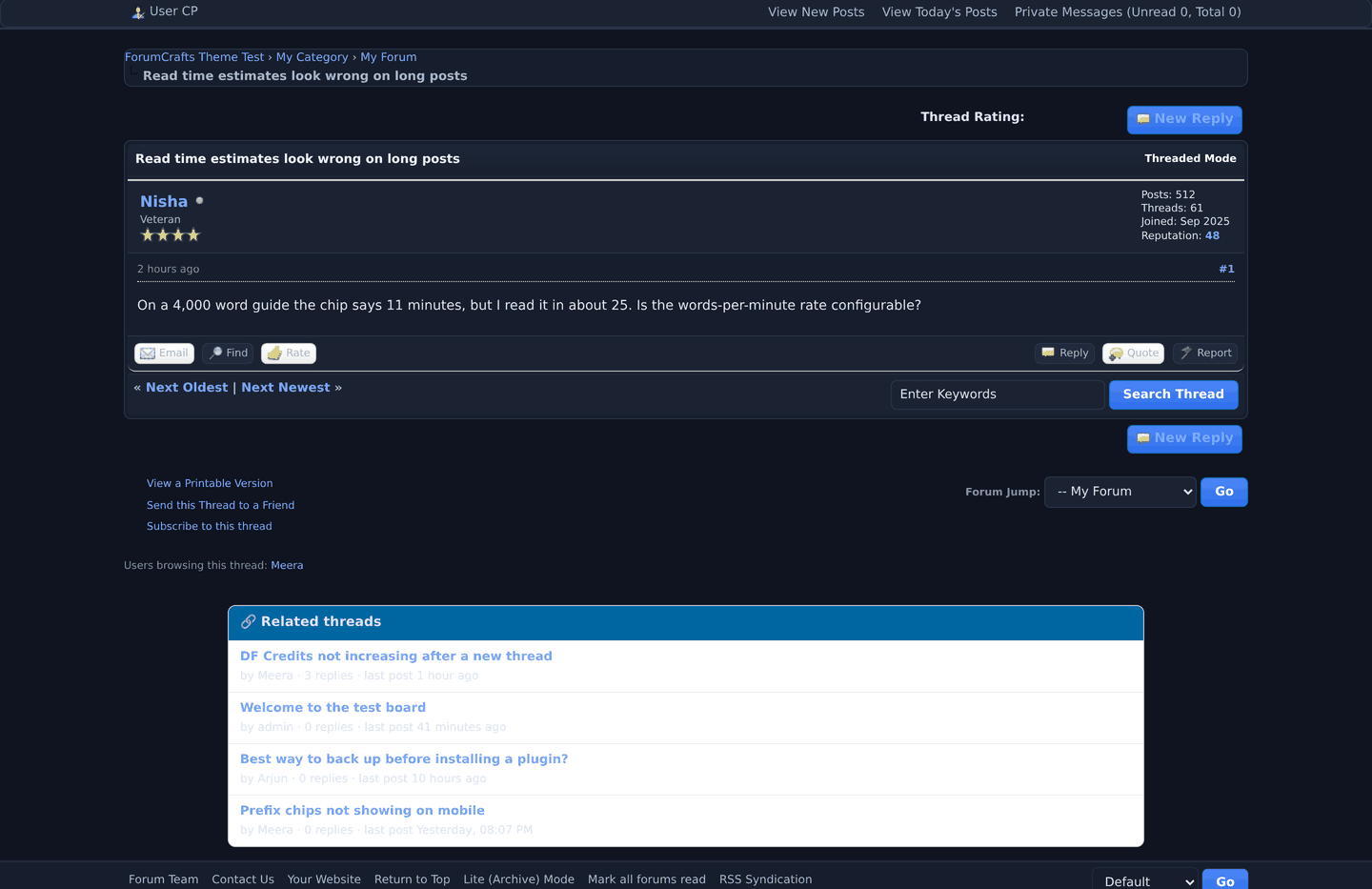
Up to five related discussions under every thread — title match first, then recency.
Shows up to five related discussions from the same forum at the bottom of every thread, title matches first and then the most recent.
• Keeps readers on the board instead of bouncing back to search.
• Read-only: no schema changes beyond its own settings row.
• Deliberately scoped to the same forum so recommendations stay on topic.
rebuilt as a versioned release from the source deployed on Data-Forums — the 1.x archive was not recoverable, so this is the honest 2.0 line rather than a lost original.
• Keeps readers on the board instead of bouncing back to search.
• Read-only: no schema changes beyond its own settings row.
• Deliberately scoped to the same forum so recommendations stay on topic.
rebuilt as a versioned release from the source deployed on Data-Forums — the 1.x archive was not recoverable, so this is the honest 2.0 line rather than a lost original.
Preview
 1 / 1
Related threads at the bottom of a thread.⤢ Tap image for full size
What's included
- Up to five related discussions from the same forum at the bottom of every thread.
- Ranked by recency, read-only: no tables, no settings, nothing stored per view.
- Printed at output time, so the thread templates stay untouched.
- Keeps readers on the board instead of at the end of the page.
At a glance
| Platform | MyBB plugin |
|---|---|
| Latest version | v2.0.0 |
| Download size | 17.1 KB |
| Released | 24 Oct 2026 |
| Downloads | 0 |
| Access | Free — sign in to download |
| Database | none — no tables created |
| Template change | none |
| Settings | none — nothing to configure |
| Hooks | pre_output_page |
| Files | 6 in the archive |
Requirements
- MyBB 1.8.x — the series this release is built for (1.8.38 for the ones we re-tested).
- PHP 7.4 or newer (8.x is fine).
Checksum
Verify your download before you upload it to your board.
14eb62a4c758e67c0d99d0b220f6a70b7fdda38bd1f8ab0a489585971e3061cbInstall it
1. Upload inc/plugins/df_relatedthreads.php to inc/plugins/.
2. Admin CP -> Configuration -> Plugins -> Install & Activate.
3. Optionally set how many threads to show in the plugin settings.
4. No template edits.
2. Admin CP -> Configuration -> Plugins -> Install & Activate.
3. Optionally set how many threads to show in the plugin settings.
4. No template edits.
Questions people ask
Does it create database tables?
No. It reads what the platform already stores, so there is nothing to migrate or clean up.
Does it edit templates or core files?
No. It runs from hooks, so no core file is modified.
How do I check the file I downloaded?
Every release page prints a SHA-256 checksum. Hash the archive locally and compare — if the two differ, the download is damaged, not the release.
How are updates delivered?
Each version is its own release on this page with a changelog, and the older archive stays available. Install the new one over the old one; your settings and data stay where they are.
All releases
| Version | Released | Size | Downloads | Changelog |
|---|---|---|---|---|
| v2.0.0 latest | 24 Oct 2026 | 17.1 KB | 0 | - First ForumCrafts release of this plugin. - Built for the platform version listed on the product page. |
Ratings & reviews
No ratings yet — the first one will be real, not seeded
Ratings come from registered members only — that is the whole point.
Sign in to rateFree account, 20 seconds. Create one
More MyBB plugins
Credits Plugin for MyBB
The points engine the rest of the suite builds on — earned automatically, spent in the shop.
Support Desk Plugin for MyBB
A private support desk inside your forum — tickets, staff view, no third-party helpdesk.
Achievements Plugin for MyBB
Ten automatic milestone badges — posts, threads, hours online, tenure — on profiles and a…
MyBB Google Authenticator Login
Google Authenticator (TOTP) two-factor authentication for MyBB logins