FC Horizon
A light and dark theme that follows your system preference.
Built for MyBB 1.8.41, the theme imports through the MyBB Admin CP and includes installation instructions. On small screens, wider forum tables can be scrolled horizontally. Back up your board and test custom plugins and template changes on staging before going live.
ForumCrafts licence requests are confirmed manually. ForumCrafts licence terms apply to original ForumCrafts styling; the included modified MyBB templates are licensed under LGPL v3, whose rights apply to those components notwithstanding the general terms. The complete third-party notice and licence texts are included in the archive.
Preview
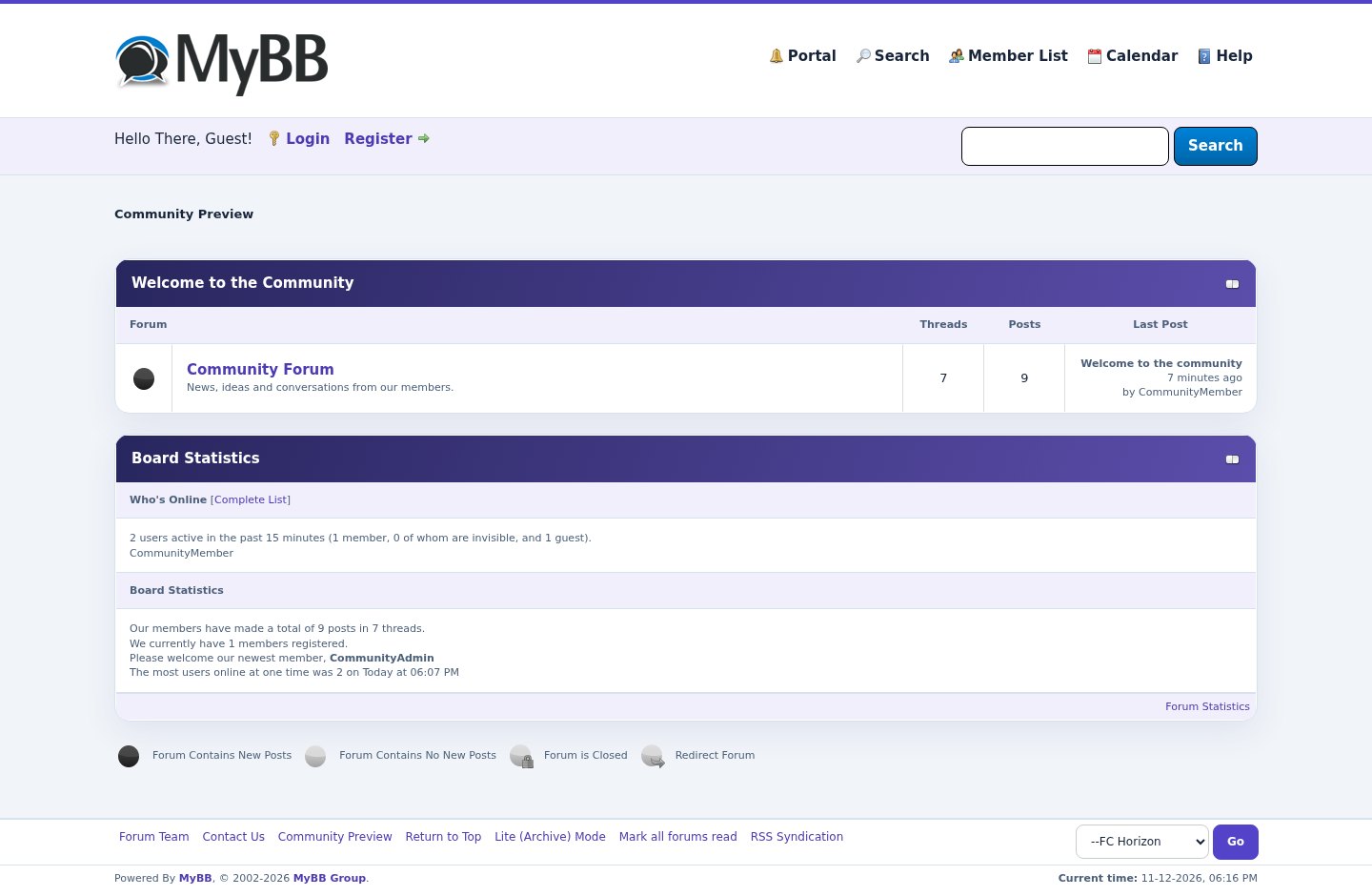 1 / 2
What's included
- MyBB 1.8.41 theme XML with installation guide
- Responsive layout with horizontally scrollable wide tables
- Editable colors, stylesheet and MyBB templates through Admin CP
- Includes modified MyBB template source and third-party licence notice
- Automatically follows browser or system light/dark preference; no separate toggle
At a glance
| Platform | MyBB theme |
|---|---|
| Latest version | v1.0.0 |
| Download size | 22.1 KB |
| Released | 12 Nov 2026 |
| Downloads | 0 |
| Access | Licence required |
| Version | 1.0.0 |
| Platform | MyBB 1.8.41 |
| Delivery | Manually confirmed premium licence |
| MyBB templates | LGPL v3; notice and licence included |
Requirements
- MyBB 1.8.41 with a working Default parent theme
- Admin CP access
- Current browser with CSS custom-property support
- Backup and staging copy recommended
Checksum
Verify your download before you upload it to your board.
00a6f37aae455c965288f945963b97749df6af8ade5f960615202dc122a5c50fInstall it
2. In MyBB Admin CP, open Templates & Style → Themes → Import a Theme; select fc-horizon.xml from the ZIP.
3. Select Default as the parent and import both stylesheets and templates.
4. Preview, merge necessary customizations and test before setting the theme as default. See README.txt in the archive.
Questions people ask
How is the licence delivered?
Request a licence through your ForumCrafts account. We confirm requests manually; there is no promise of instant checkout.
Does it work with my existing plugins and custom templates?
The theme includes modified MyBB templates and inherits other templates and stylesheets. Existing customizations are not merged automatically. Test and merge changes on staging.
What updates are included?
Updates for the life of this version are included under the ForumCrafts licence terms.
What licence applies to the MyBB templates?
The modified MyBB templates are distributed under LGPL v3. The archive includes their source and the LGPL/GPL licence texts; those rights are not restricted by ForumCrafts terms.
Can visitors choose light or dark within the theme?
The appearance follows their browser or operating-system preference. This release does not include a separate on-page toggle.
All releases
| Version | Released | Size | Downloads | Changelog |
|---|---|---|---|---|
| v1.0.0 latest | 12 Nov 2026 | 22.1 KB | 0 | Initial release for MyBB 1.8.41. Includes theme XML, installation instructions and third-party licence notices. |
Ratings & reviews
Ratings come from registered members only — that is the whole point.
Sign in to rateFree account, 20 seconds. Create one