FC Quick Reply Pro
MYBB
PLUGIN
free
Enhanced quick reply with formatting toolbar, draft saving, and live preview.
A MyBB plugin that enhances the quick reply feature with a formatting toolbar, live preview, and draft saving. The toolbar provides quick buttons for Bold, Italic, Underline, Strikethrough, URL, Image, Quote, Code, and List BBcode tags. Clicking a button inserts the tag pairs around the selected text.
The live preview renders the formatted text in a styled box below the reply area, updating as you type. Draft saving allows users to save up to 5 drafts per thread, restored automatically on return. The toolbar is styled with a configurable accent color.
Fully client-side JavaScript — no server requests for formatting. Lightweight and compatible with all MyBB templates.
The live preview renders the formatted text in a styled box below the reply area, updating as you type. Draft saving allows users to save up to 5 drafts per thread, restored automatically on return. The toolbar is styled with a configurable accent color.
Fully client-side JavaScript — no server requests for formatting. Lightweight and compatible with all MyBB templates.
Preview
 1 / 1
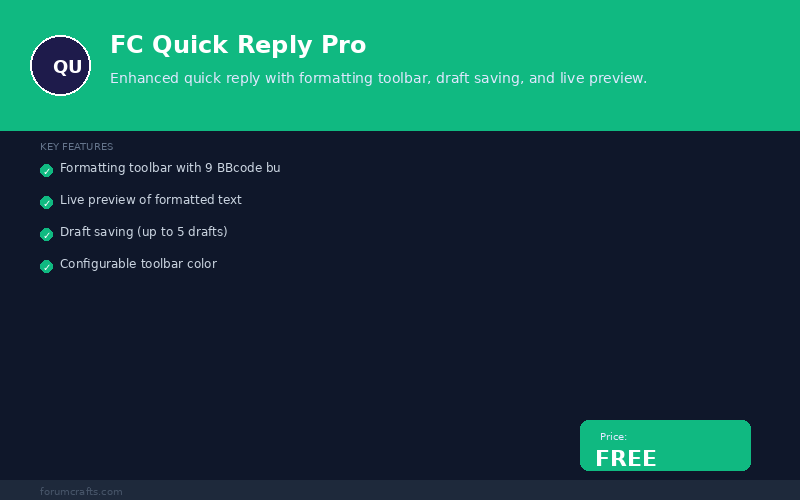
FC Quick Reply Pro screenshot with features and free badge⤢ Tap image for full size
What's included
- Formatting toolbar with 9 BBcode buttons; Live preview of formatted text; Draft saving (up to 5 drafts); Configurable toolbar color; Client-side JavaScript; BBcode tag insertion; Real-time preview updates; No external dependencies; Template-compatible
At a glance
| Platform | MyBB plugin |
|---|---|
| Latest version | v1.0.0 |
| Download size | 2.7 KB |
| Released | 7 Nov 2026 |
| Downloads | 0 |
| Access | Free — sign in to download |
| Compatibility | MyBB 1.8.x; Files: inc/plugins/fc_quick_reply_pro.php; Settings: 5; Hooks: quick_reply_bbcode_toolbar, quick_reply_preview, global_start; Database: None; External dependencies: none |
Requirements
- MyBB 1.8.0 or newer; PHP 5.4+; JavaScript enabled
Checksum
Verify your download before you upload it to your board.
67681bfa3495e8e31d372ceaf1043f4c17de2e9e1d02ae382dadfbd20eb9bcf6Install it
1. Download fc-quick-reply-pro-1.0.0.zip
2. Extract the zip
3. Upload inc/plugins/fc_quick_reply_pro.php to your MyBB root
4. Go to MyBB Admin → Plugins → find "FC Quick Reply Pro"
5. Click Activate
6. Go to Admin → Settings → FC Quick Reply Pro to configure
2. Extract the zip
3. Upload inc/plugins/fc_quick_reply_pro.php to your MyBB root
4. Go to MyBB Admin → Plugins → find "FC Quick Reply Pro"
5. Click Activate
6. Go to Admin → Settings → FC Quick Reply Pro to configure
Questions people ask
Q: What formatting options does the toolbar provide?
A: Bold, Italic, Underline, Strikethrough, URL, Image, Quote, Code, and List.
Q: How does live preview work?
A: As you type in the quick reply box, the preview box below renders the formatted text in real-time.
Q: Can I save drafts?
A: Yes. Drafts are saved automatically and restored when you return to the thread.
Q: Will this slow down the page?
A: No. All formatting is done client-side with JavaScript.
Q: Is it compatible with mobile?
A: Yes. The toolbar is responsive and works on touch devices.
All releases
| Version | Released | Size | Downloads | Changelog |
|---|---|---|---|---|
| v1.0.0 latest | 07 Nov 2026 | 2.7 KB | 0 | Initial release of FC Quick Reply Pro. |
Ratings & reviews
No ratings yet — the first one will be real, not seeded
Ratings come from registered members only — that is the whole point.
Sign in to rateFree account, 20 seconds. Create one
More MyBB plugins
Credits Plugin for MyBB
The points engine the rest of the suite builds on — earned automatically, spent in the shop.
Support Desk Plugin for MyBB
A private support desk inside your forum — tickets, staff view, no third-party helpdesk.
Achievements Plugin for MyBB
Ten automatic milestone badges — posts, threads, hours online, tenure — on profiles and a…
MyBB Google Authenticator Login
Google Authenticator (TOTP) two-factor authentication for MyBB logins