FC User Badges for phpBB
PHPBB
ADDON
free
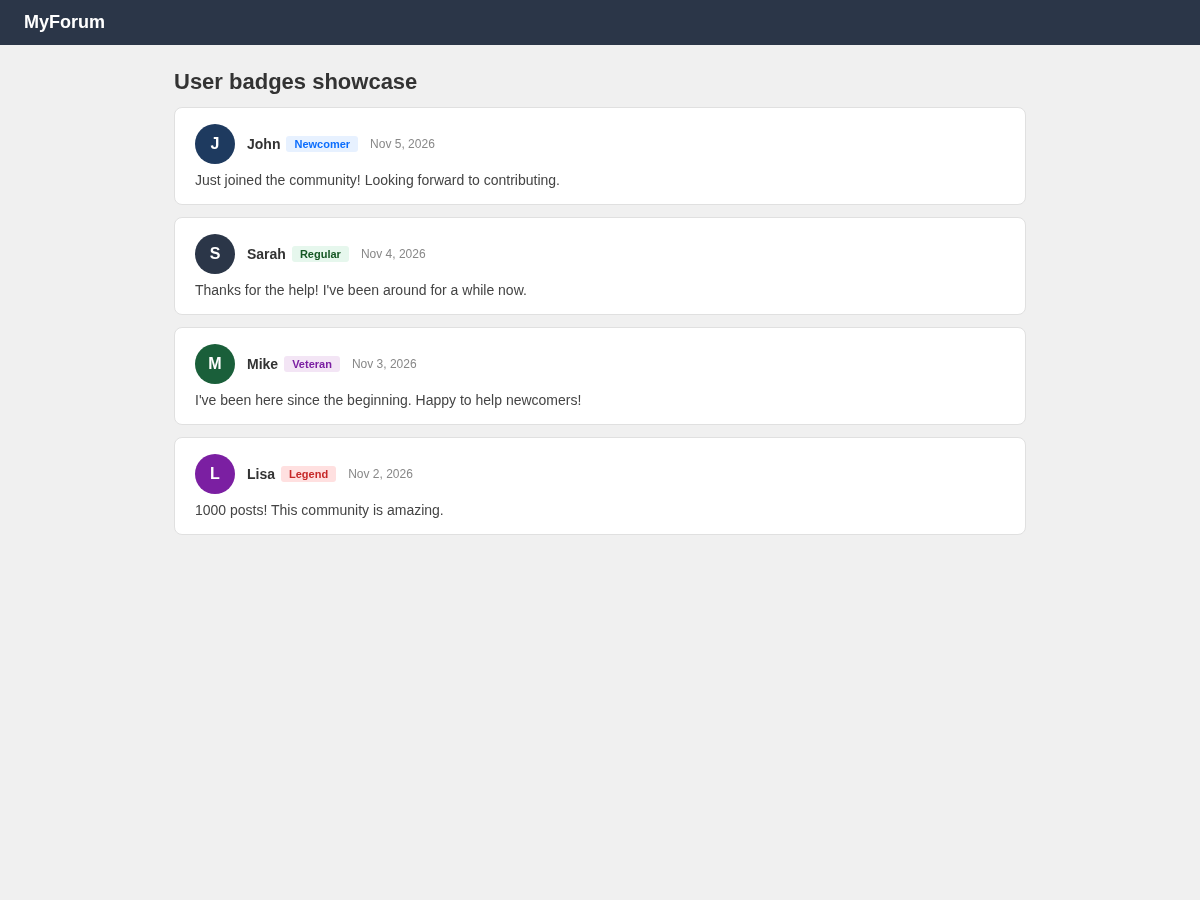
Automatic reputation badges based on post count milestones. Newcomer, Regular, Active, Veteran, Lege
Automatic reputation badges based on post count milestones. Newcomer, Regular, Active, Veteran, Legend and Hall of Fame. Proper phpBB extension with composer.json.
Preview
 1 / 1
⤢ Tap image for full size
What's included
- Automatic reputation badges; Post count milestones; Newcomer, Regular, Active, Veteran, Legend, Hall of Fame; Proper phpBB extension; Color-coded badges; No core edits; Lightweight
At a glance
| Platform | phpBB extension |
|---|---|
| Latest version | v1.0.0 |
| Download size | 2.5 KB |
| Released | 6 Nov 2026 |
| Downloads | 0 |
| Access | Free — sign in to download |
| phpbb_version | 3.2/3.3; dependencies: None; install: ACP extension install; file_size: 3 KB |
Requirements
- phpBB 3.2 or 3.3
Checksum
Verify your download before you upload it to your board.
e5cb0060955f9c6dc42f15b60eafccc7ab4433d140bc1c3824f75fbabc9f188bInstall it
1. Download fc-user-badges-phpbb-1.0.0.zip
2. Unzip and copy the fc folder to ext/dataforums/fc/user-badges/
3. Go to ACP → Customise → Extensions
4. Enable FC User Badges
5. Purge the phpBB cache
2. Unzip and copy the fc folder to ext/dataforums/fc/user-badges/
3. Go to ACP → Customise → Extensions
4. Enable FC User Badges
5. Purge the phpBB cache
Questions people ask
Q: How do I install this?
A: Drop the folder in ext/dataforums/fc/user-badges/, then enable it in the ACP Customise section.
Q: How are badges assigned?
A: Automatically based on the user's post count. 50=Regular, 100=Active, 250=Veteran, 500=Legend, 1000=Hall of Fame.
Q: Can I customize the thresholds?
A: Yes. Edit the badge definitions in the extension files.
Q: Do I need to edit any templates?
A: No. The extension hooks into the username display automatically.
Q: Which phpBB versions are supported?
A: phpBB 3.2 and 3.3.
All releases
| Version | Released | Size | Downloads | Changelog |
|---|---|---|---|---|
| v1.0.0 latest | 06 Nov 2026 | 2.5 KB | 0 | ## [1.0.0] - 2026-11-06 ### Added - Initial release |
Ratings & reviews
No ratings yet — the first one will be real, not seeded
Ratings come from registered members only — that is the whole point.
Sign in to rateFree account, 20 seconds. Create one
More phpBB extensions
FC Reading Progress for phpBB
A scroll progress bar at the top of topic pages. Drop the folder in ext/dataforums/…
FC SEO Analyzer for phpBB
SEO analysis with actionable optimization suggestions for phpBB.
Dark Mode Toggle Add-on for phpBB
A one-file dark-mode switch for phpBB 3.2/3.3: paste before , purge cache, done.
One-Click Post Thanks Add-on for phpBB
A thanks button on every post, as a proper phpBB 3.2/3.3 extension.