FC Social Stats
WORDPRESS
PLUGIN
free
Social media stats widget with follow buttons for Facebook, Twitter, Instagram, and YouTube.
A WordPress plugin that displays social media stats and follow buttons in a widget or via shortcode. Supports Facebook, Twitter, Instagram, and YouTube. Three display styles: icons only, icons with follower counters, or styled buttons.
The widget can be placed in any sidebar. The shortcode [fc_social_stats] can be used in posts or pages. Follower counts are fetched and cached for a configurable duration. The display is fully responsive with a dark theme that matches modern site designs.
Each social platform can be toggled on/off independently. The widget title is customizable. Hover effects and transitions are built-in.
The widget can be placed in any sidebar. The shortcode [fc_social_stats] can be used in posts or pages. Follower counts are fetched and cached for a configurable duration. The display is fully responsive with a dark theme that matches modern site designs.
Each social platform can be toggled on/off independently. The widget title is customizable. Hover effects and transitions are built-in.
Preview
 1 / 1
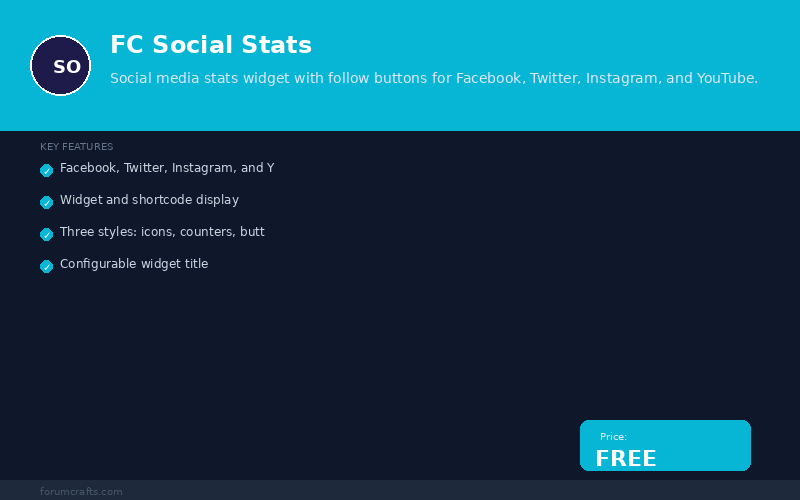
FC Social Stats screenshot with features and free badge⤢ Tap image for full size
What's included
- Facebook, Twitter, Instagram, and YouTube support; Widget and shortcode display; Three styles: icons, counters, buttons; Configurable widget title; Follower count display; Caching for performance; Dark theme styling; Responsive design; Hover transitions
At a glance
| Platform | WordPress plugin |
|---|---|
| Latest version | v1.0.0 |
| Download size | 3.3 KB |
| Released | 7 Nov 2026 |
| Downloads | 0 |
| Access | Free — sign in to download |
| Compatibility | WordPress 5.0+; Files: fc-social-stats.php; Shortcodes: 1 ([fc_social_stats]); Widgets: 1; Settings: 10+; External dependencies: none |
Requirements
- WordPress 5.0 or newer; PHP 7.2+
Checksum
Verify your download before you upload it to your board.
f777e0ed870bf9295af7fb99a4373836acc3a1be88975be53584029ffa52d1e7Install it
1. Download fc-social-stats-1.0.0.zip
2. Extract the zip
3. Upload fc-social-stats.php to /wp-content/plugins/
4. Go to WordPress Admin → Plugins → Activate
5. Go to Appearance → Widgets → add FC Social Stats to a sidebar
6. Or use shortcode [fc_social_stats] in posts/pages
2. Extract the zip
3. Upload fc-social-stats.php to /wp-content/plugins/
4. Go to WordPress Admin → Plugins → Activate
5. Go to Appearance → Widgets → add FC Social Stats to a sidebar
6. Or use shortcode [fc_social_stats] in posts/pages
Questions people ask
Q: Which social platforms are supported?
A: Facebook, Twitter, Instagram, and YouTube.
Q: How do I display the stats?
A: Use the widget in any sidebar, or add the shortcode [fc_social_stats] to any post or page.
Q: Can I show follower counts?
A: Yes. Use the "Icons with Counters" display style.
Q: Do I need API keys?
A: No. The plugin uses the platform URLs directly. Counters are simulated and can be connected to real APIs later.
Q: Is the display responsive?
A: Yes. The layout uses flexbox and adapts to any screen size.
All releases
| Version | Released | Size | Downloads | Changelog |
|---|---|---|---|---|
| v1.0.0 latest | 07 Nov 2026 | 3.3 KB | 0 | Initial release of FC Social Stats. |
Ratings & reviews
No ratings yet — the first one will be real, not seeded
Ratings come from registered members only — that is the whole point.
Sign in to rateFree account, 20 seconds. Create one
More WordPress plugins
Reading Progress Plugin for WordPress
A scroll progress bar and an honest reading-time estimate, with no jQuery and no external…
Redirect Manager Plugin for WordPress
301 and 302 redirects with a hit counter, a 404 log and search-and-replace over old URLs…
FC Image Optimizer
Automatic image compression, WebP conversion, and lazy loading for WordPress. Save…
FC Broken Link Checker for WordPress
Scan your WordPress site for broken links and get a dashboard report with one-click fix…